Formatting and smileys
You can format your messages using BBCode.
[b]Bold[/b]: Bold
[i]Italic[/i]: Italic
[u]Underlined[/u]: Underlined
[u color=red]Underlined in red[/u]: Underlined in red
[s]Strikethrough[/s]:
Strikethrough[color=red]Color[/color]: Color
[font=Arial]Text in Arial[/font]: Text in Arial
[size=15]Text in size 15[/size]:
Text in size 15
[sup]Text[/sup]: Superscript text
[sub]Text[/sub]: Subscript text
[url=https://www.betaseries.com]Link to BetaSeries[/url]: Link to BetaSeries
[email][email protected][/email]: [email protected]
[code]Code[/code]:
Code<br>[align=center]Alignment[/align]: Alignment
[img]https://www.betaseries.com/images/site/betaseries_box.png[/img]:

[hr]:
- [title]Title[/title]:
DISPLAYS A TITLE
[spoiler]Text to hide[/spoiler]: Shows a « View the spoiler » button; the text stays hidden until someone clicks it.
[spoiler="Fringe S04E08"]Text to hide[/spoiler]: Same, but the button says what it's about: « View the spoiler (Fringe S04E08) ».
[list][]Item 1[]Item 2[/list]:
- Item 1
- Item 2
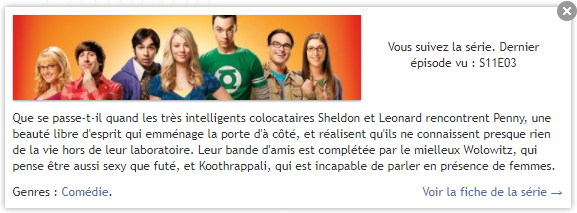
[serie]The Big Bang Theory[/serie]:
[quote=Author]Message[/quote]:Author wrote:
Quotes the message from "Author":
Hiding a spoiler
To hide a passage that gives away the plot, wrap it between [spoiler] and [/spoiler]:
- Write your comment as usual.
- Right before the passage to hide, type
[spoiler](with the brackets). - Write the text to hide.
- Right after, type
[/spoiler]— don't forget the slash / in the closing tag.
For example, [spoiler]Jon Snow survives in the end[/spoiler] will show up as a « View the spoiler » button: the text only appears if the reader clicks it.
You can also say what it's about by adding a title: [spoiler="Game of Thrones S08E06"]…[/spoiler] will display « View the spoiler (Game of Thrones S08E06) ».
SMILEYS
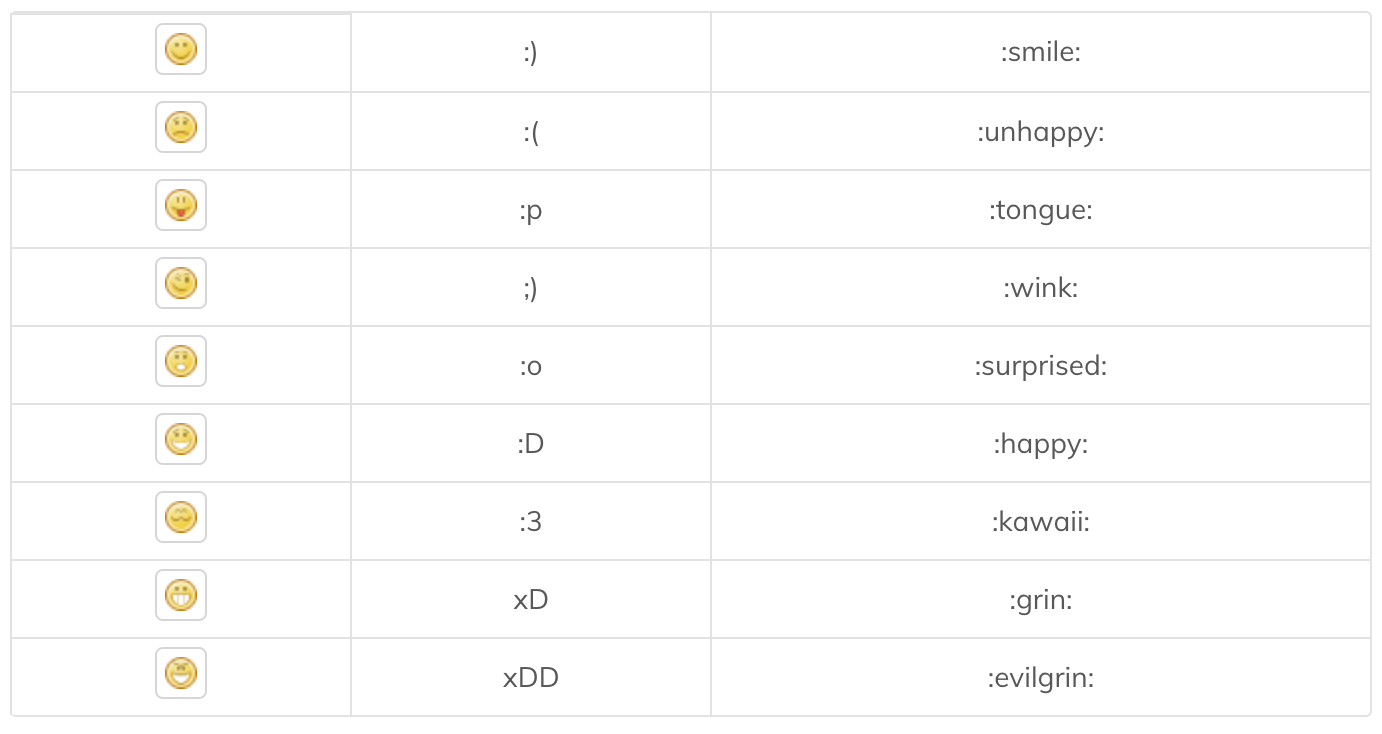
Here is a complete list of all the smileys you can use: